

Audit logs are enabled by default for Omni SaaS customers.
Enable audit logs (self-hosted)
Audit logging is disabled by default on self-hosted Omni instances. To enable audit logs, pass the--audit-log-dir flag when starting the Omni server, specifying the directory where log files should be stored:
--audit-log-dir or setting it to an empty value disables audit logging.
Log file storage and retention
Log files are written to the directory specified by--audit-log-dir. Each file covers one calendar day and is named using the format <year>-<month>-<day>.jsonlog — for example, 2024-08-12.jsonlog.
Log files are retained for 30 days, including the current day. Files older than 30 days are deleted automatically.
Access the audit log
Audit logs can be accessed through the Omni UI or viaomnictl. Access requires the Auditor or Admin role.
Audit log access is granted by exact role rather than by seniority. The
Operator role does not include it, even though it is otherwise more privileged than Auditor. Use Auditor for accounts that only need to read the audit log, such as an audit log exporter, so they do not need full Admin access.- CLI
- UI
To stream the audit log to stdout, run:To retrieve logs for a specific date range, provide start and end dates in For example, to retrieve logs for the first week of August 2024:
YYYY-MM-DD format:The CLI method is preferable for large audit logs or when piping output to a search or filtering tool such as
jq, as it streams directly to stdout without buffering the entire log in memory.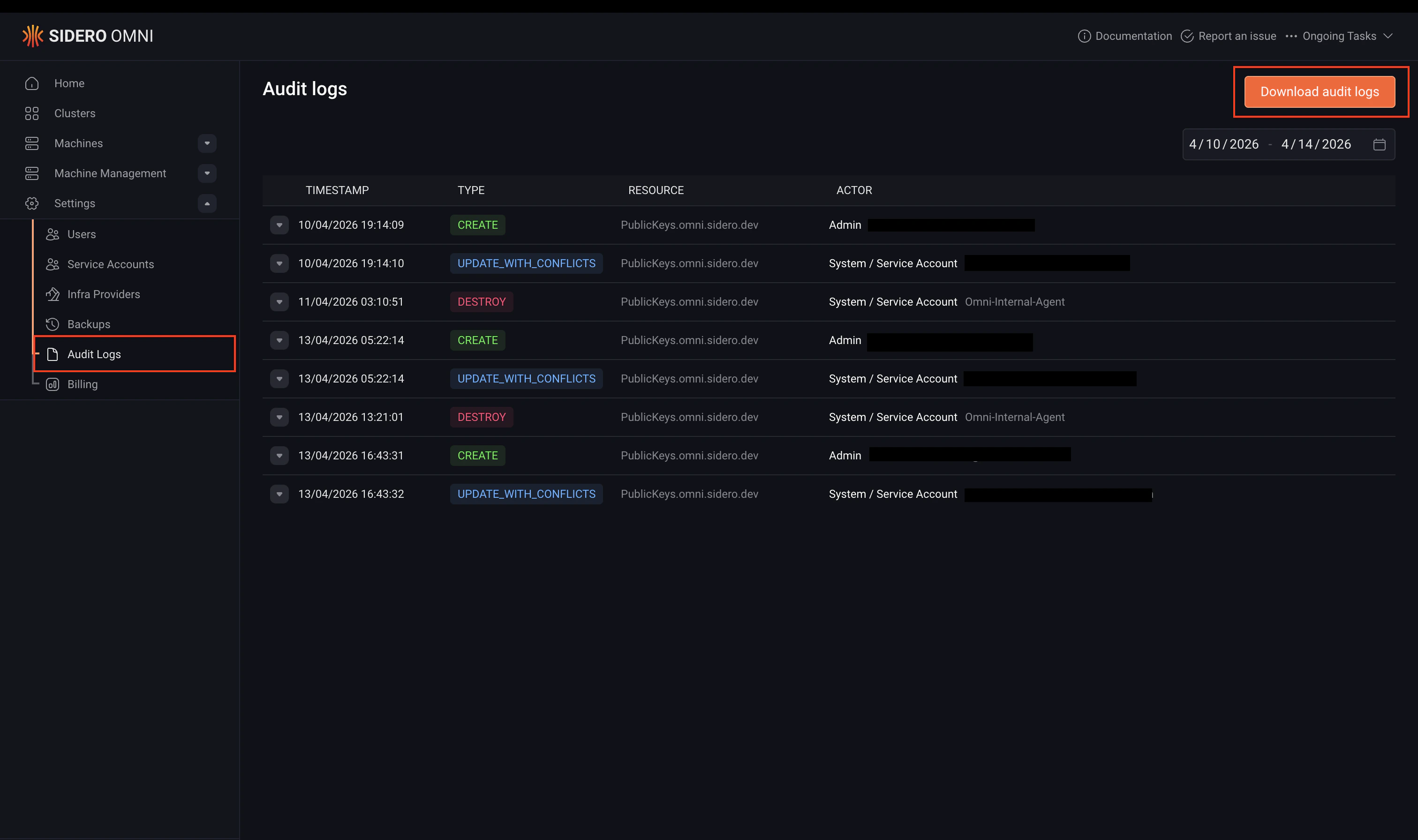
Audit log format
Audit logs are stored in JSONL format, one JSON object per line, where each object represents a single audit event. The following is an example log entry, formatted for readability:Top-level fields
Event types
Event data fields
Theevent_data object contains at least a session field, plus one or more resource-specific fields depending on the event type.
session
The session field describes the user session associated with the event.
Resource-specific fields
The following fields may appear inevent_data depending on the resource type involved:
talos_access
The talos_access field is present on talos_access events and contains:
k8s_access
The k8s_access field is present on k8s_access events and contains:
Supported resources
The following resource types are recorded in the audit log:
In addition to resource operations, Omni also logs
kubectl access to Kubernetes clusters and direct access to Talos nodes via talosctl.
Export audit logs
For a one-off export,omnictl audit-log streams to stdout and pipes into any external tool: