

- Log in to Okta.
- Create a new app integration.
- Select SAML 2.0 as the sign-in method.
- Give the application a clear, recognizable name (for example, Omni).
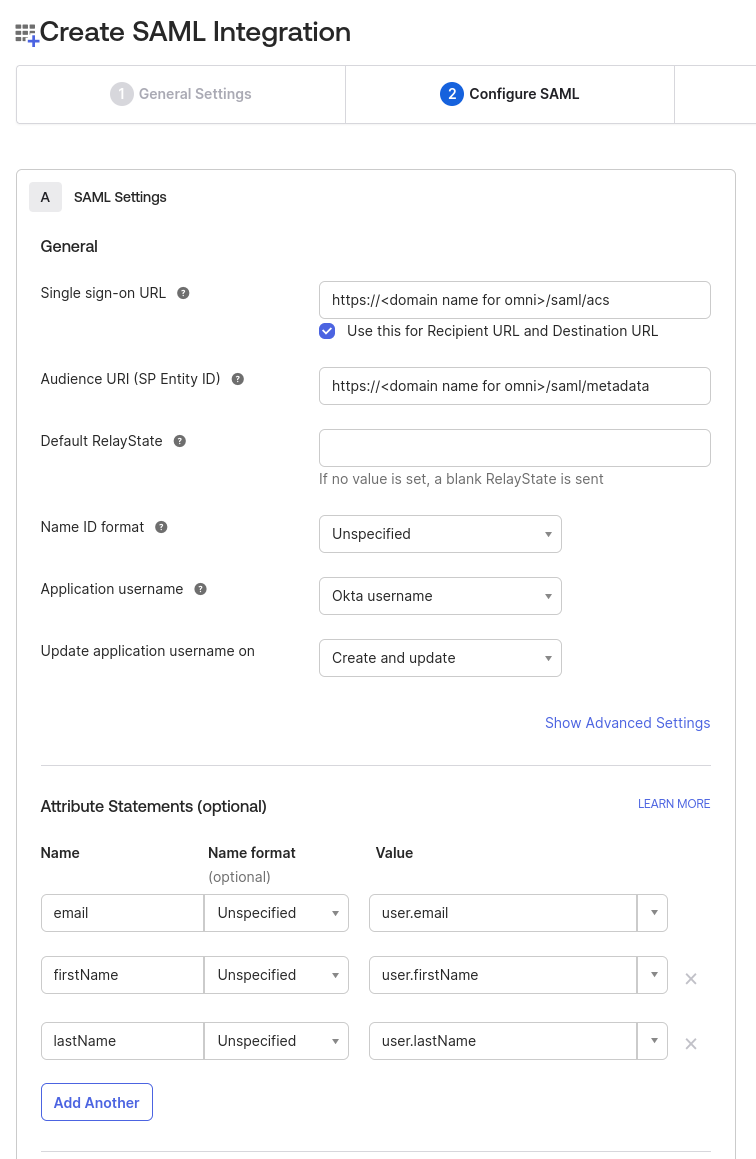
- Configure the SAML settings and Attribute Statements as shown below:
- Click Next, optionally provide feedback, then select Finish.